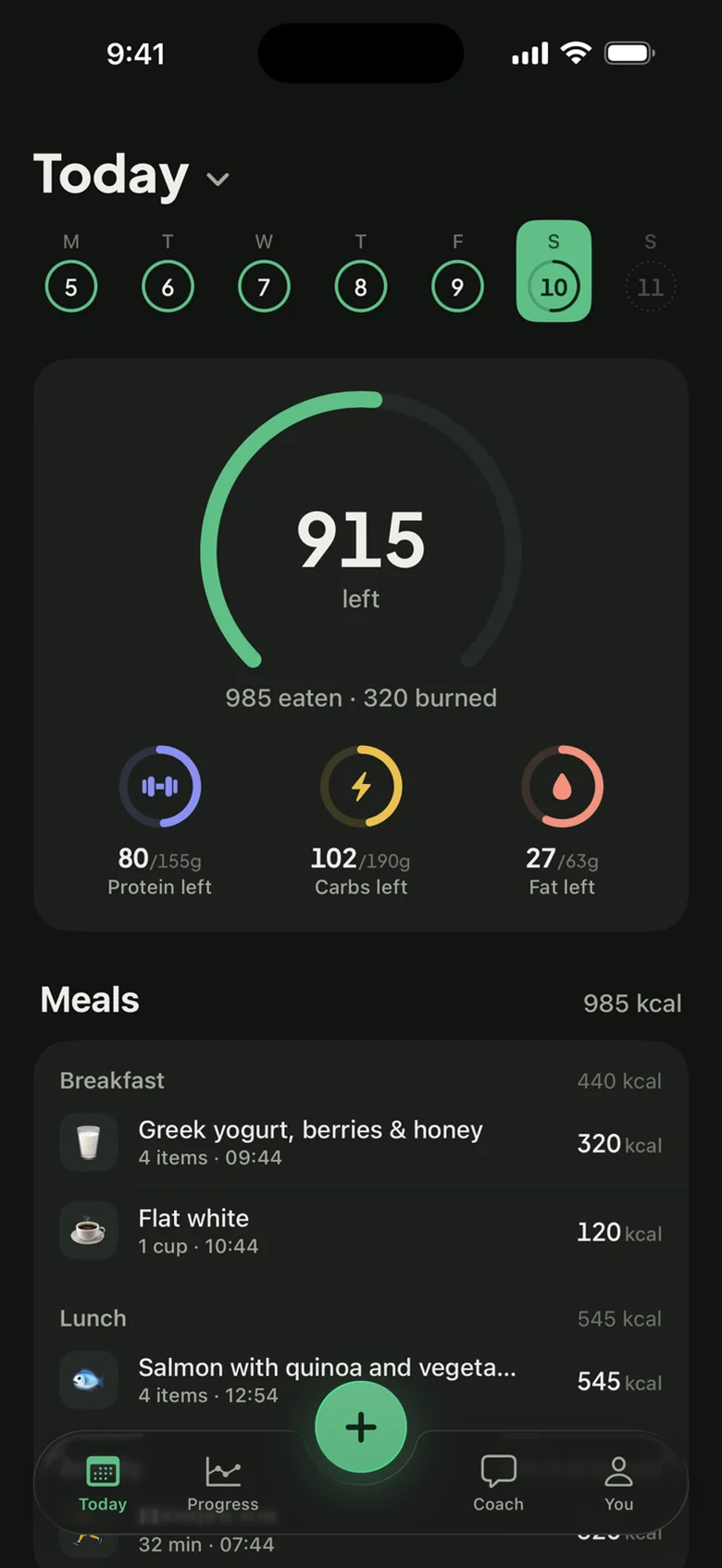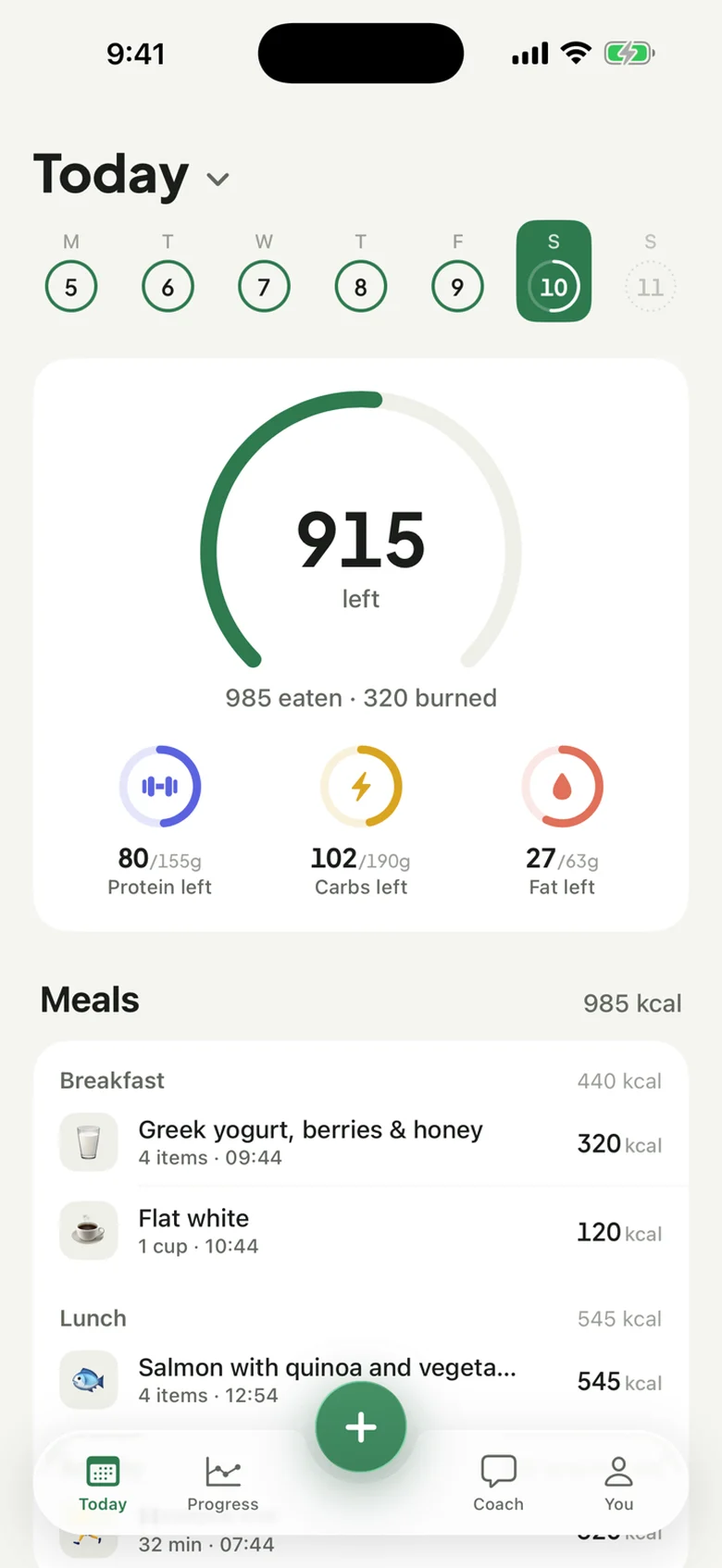
Choose what to share
Connect Apple Health in Kulia and review the requested permissions. Apple Health controls which data categories the app can read and write.
Apple Health + Kulia
Bring Apple Health data into your daily view in Kulia. With your permission, the app reads steps, weight and workouts, and writes logged nutrition back to Apple Health.
 7 days free
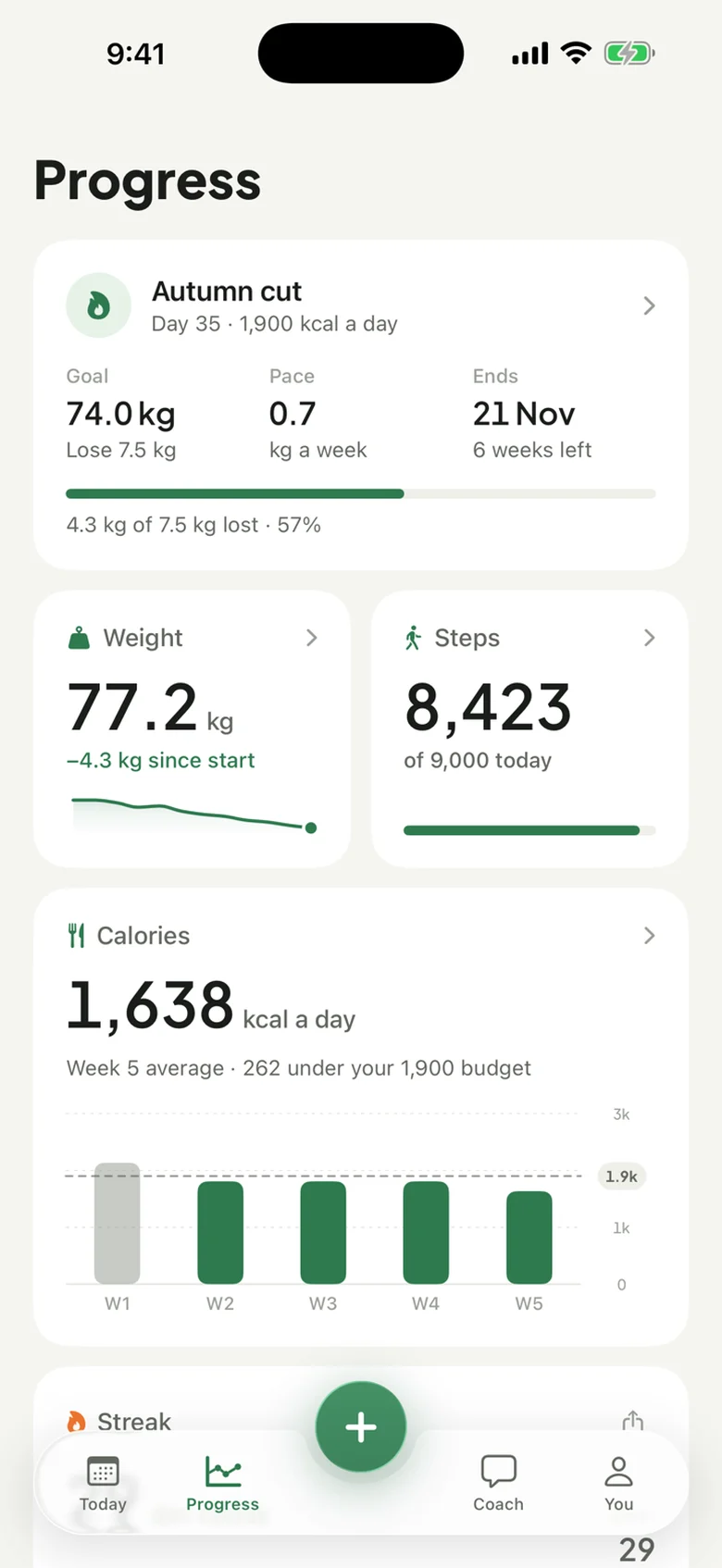
Connect Apple Health in Kulia and review the requested permissions. Apple Health controls which data categories the app can read and write.
Use steps, weight and workouts with your food log to understand your day and follow changes over time.
With write permission, Kulia sends logged calories and macros, water, weight and workouts to Apple Health.
Health access is optional and category-specific. You can review or change permissions in Apple Health. A missing permission can mean a value is absent from Kulia or an entry is not written back. The app does not write a second standalone Active Energy entry for a workout it saves, helping avoid counting that workout energy twice.
If your data looks incomplete, first check the relevant read or write permission. Read permission for weight and write permission for nutrition are separate choices.
Yes, when you allow it. Logged meals can write dietary energy, protein, carbohydrates and fat to Apple Health.
Yes. Manage Kulia permissions in Apple Health and turn individual categories off when you choose.
Yes. The Kulia subscription includes everything: Apple Health sync, AI logging and the coach. New subscribers get 7 days free on the yearly plan.
On iPhone. Try everything free for 7 days on the yearly plan.